MyTags

May 2025

UX Design, Client Work

MyTags is a utility-focused mobile app that helps users tag and track personal items using QR codes. When a tagged item is lost and found, the finder can scan the tag to view a custom message and contact the owner.

Live Preview
Overview

Imagine you head out for a morning run, but when you return home, you realize you can’t remember where you left your water bottle. Later, someone at the park spots it and wonders who it belongs to. That’s exactly where MyTags helps, a mobile app lets you tag your belongings, link them to QR codes, and easily reconnect with them if they get lost. The person sees the QR tag on your bottle, scans it, and sends you a message right away.

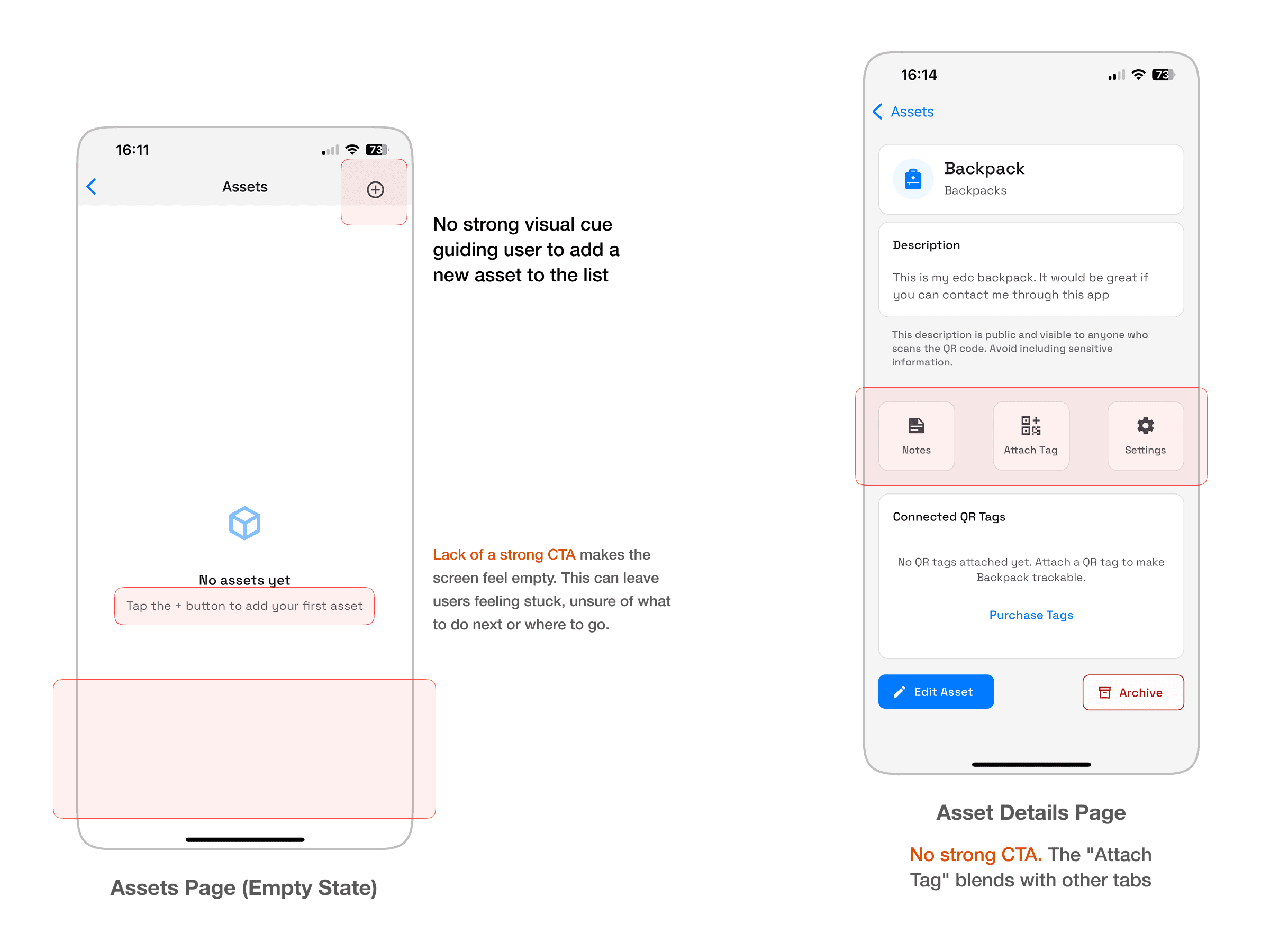
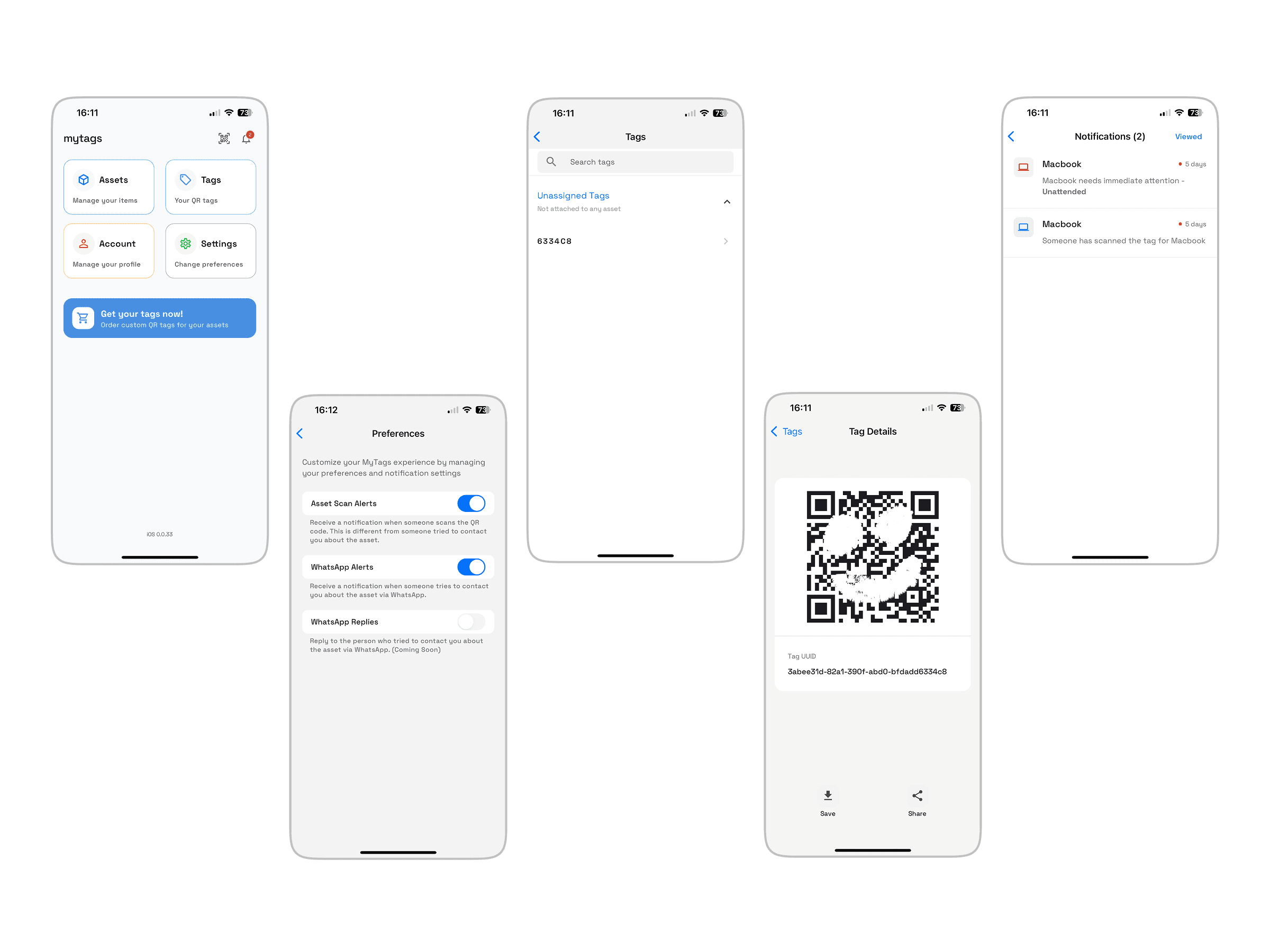
An MVP already existed, but it came with friction. Confusing user flows, unclear visuals, and weak touchpoints at the very moments users needed the most reassurance.

This is where I came in: to elevate the design, rethink the flow, and bring clarity to both sides of the experience: the tag owner and the person who scans a found item (the finder)

Existing Screens

The Problem

Over three days I used MyTags myself. I stuck QR tags on my keys, my bag, everyday items. I asked friends (aged 15-55) to try it too, people who are used to apps, and people who aren’t.

"I don’t know which button is for scanning vs adding a tag"

"It looks nice, but I’m not sure what I’m supposed to do first"

Lack of Visual Hierarchy


Unclear Primary Actions


Weak Branding and Tone - lacks character or brand expression & screens with empty states feel 'lifeless'


Design Process

I asked myself: How can I make owning and managing tags feel intuitive?How can I push gently toward actions that matter (linking tags, ordering more, scanning when needed)?How can the experience for someone who finds a tagged item feel trustworthy and helpful?And how can I lift the visual and brand expression so the app doesn’t feel like just another utility?

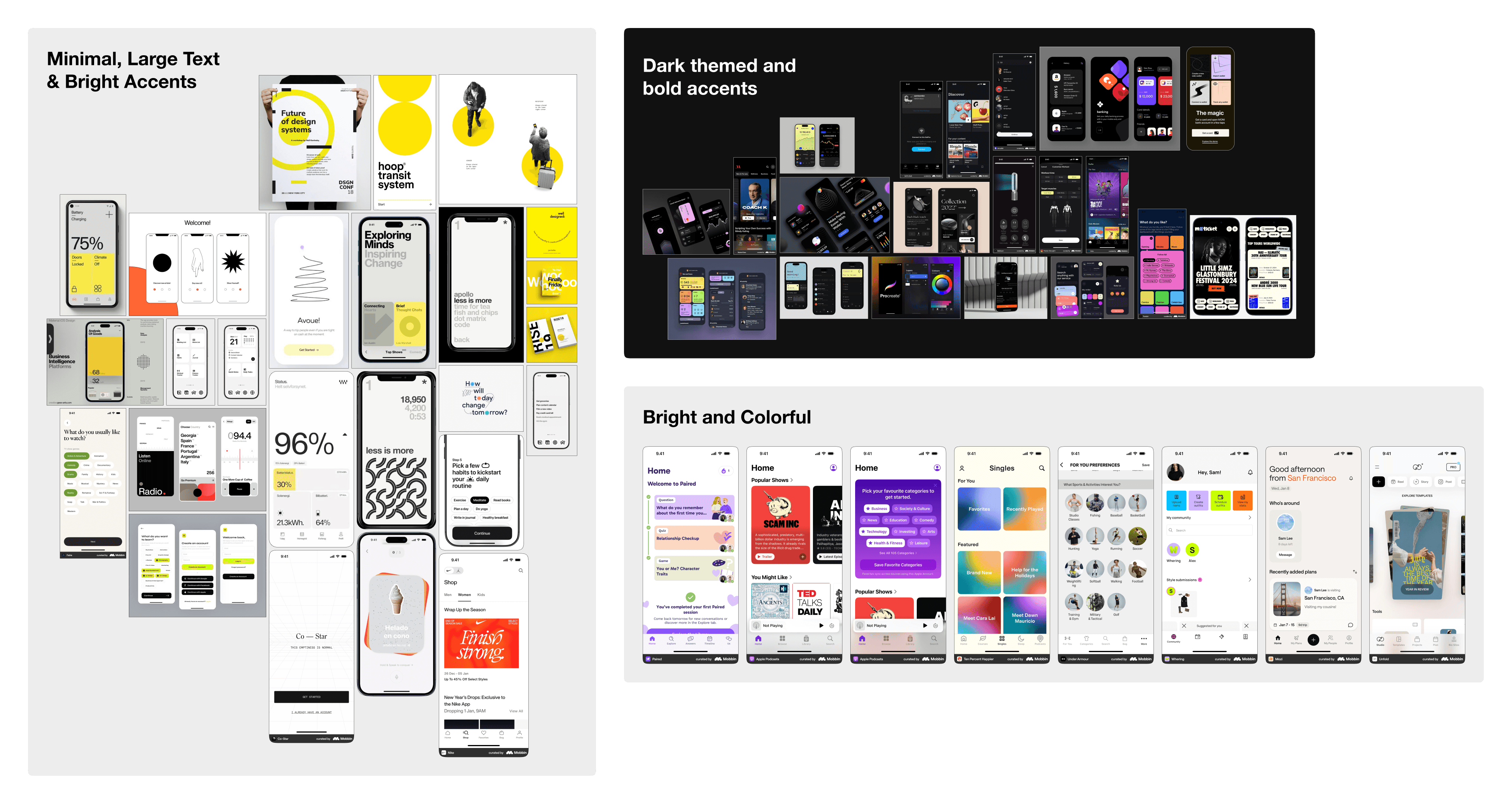
Establishing a design direction

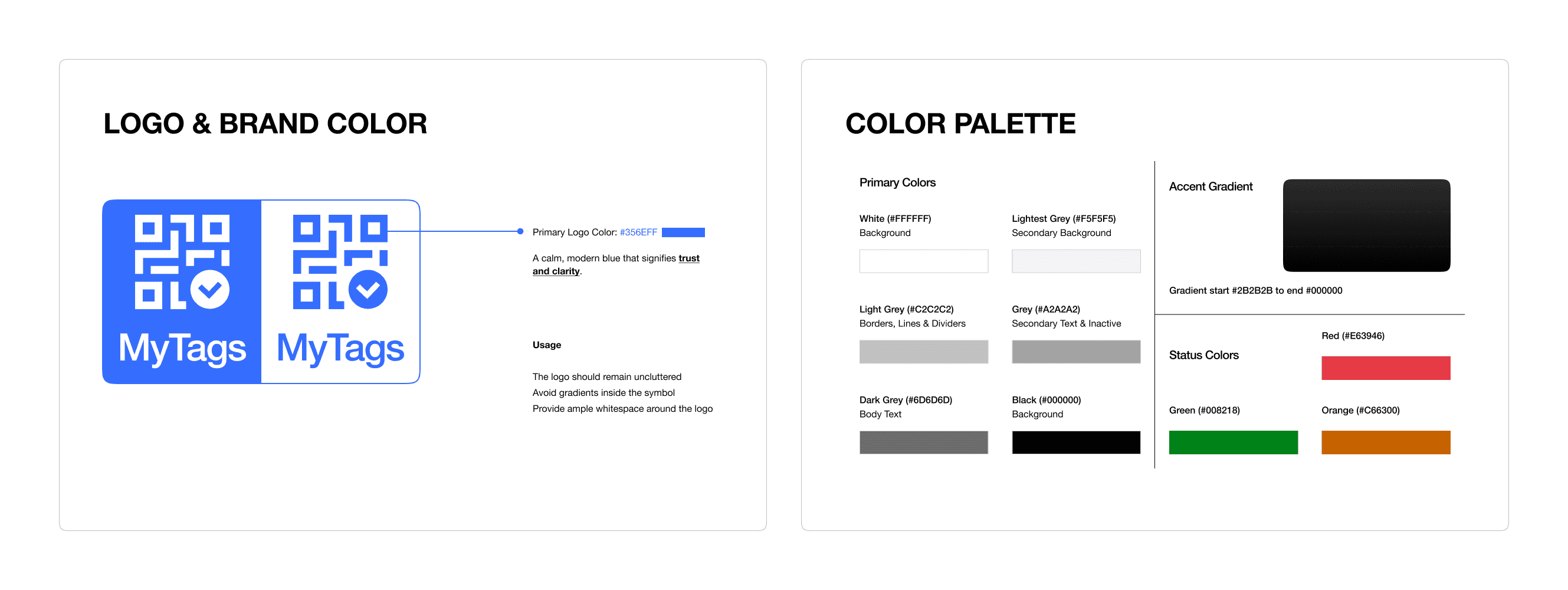
I gathered inspiration: a mix of minimal, clean UIs with expressive moments. Light mode, color sparingly used, but when used, meaningful

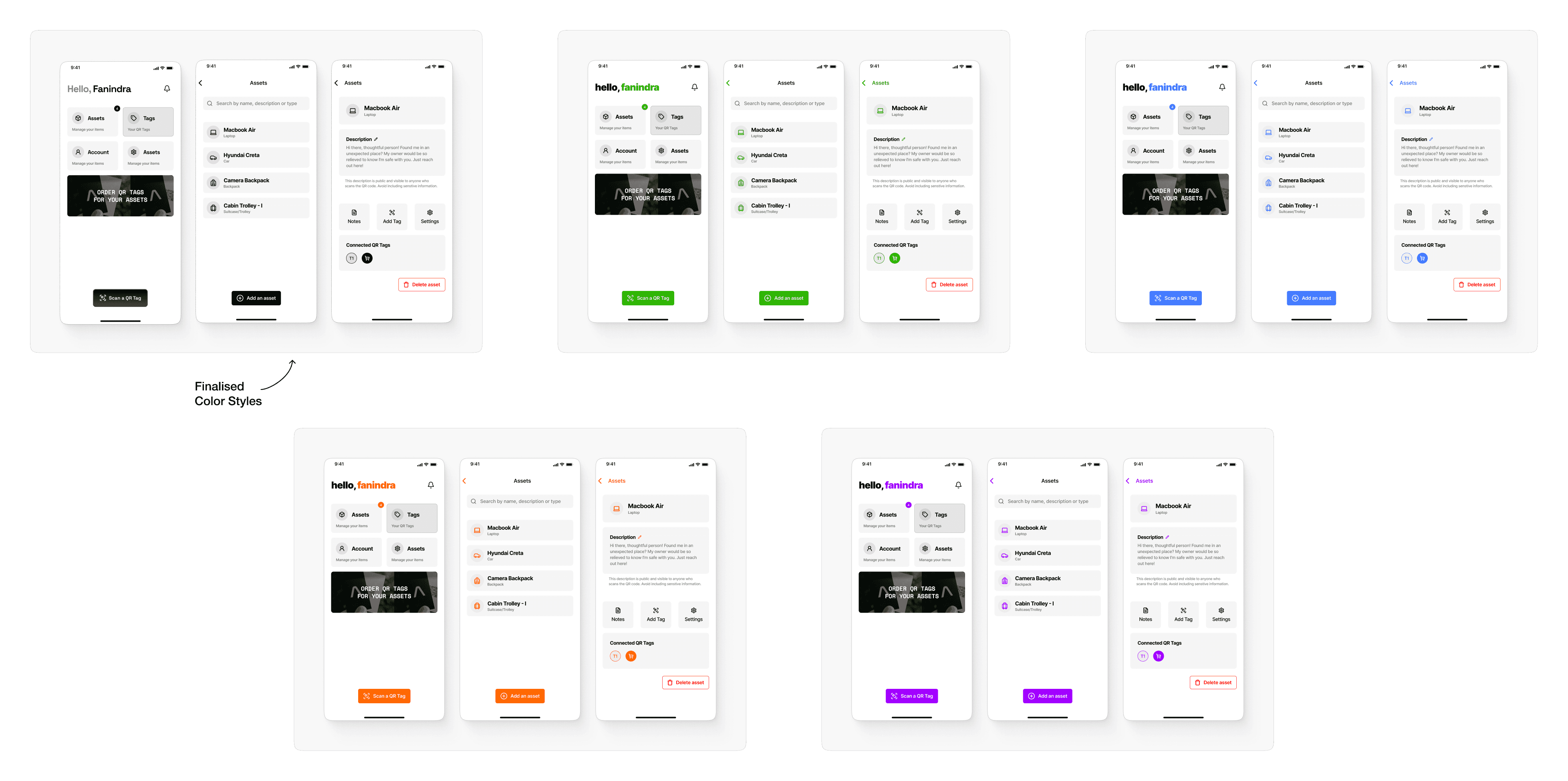
We decided on a light, minimal aesthetic that aligned with the product’s purpose - simple, distraction-free, designed for a set it up once and forget about it experience. From there, I created quick mockups exploring variations in color within this theme.


Evolving the Flow & Screens

Rather than doing classic low-fi wireframes, I moved to mid-fidelity wireframes to test interaction flow early.

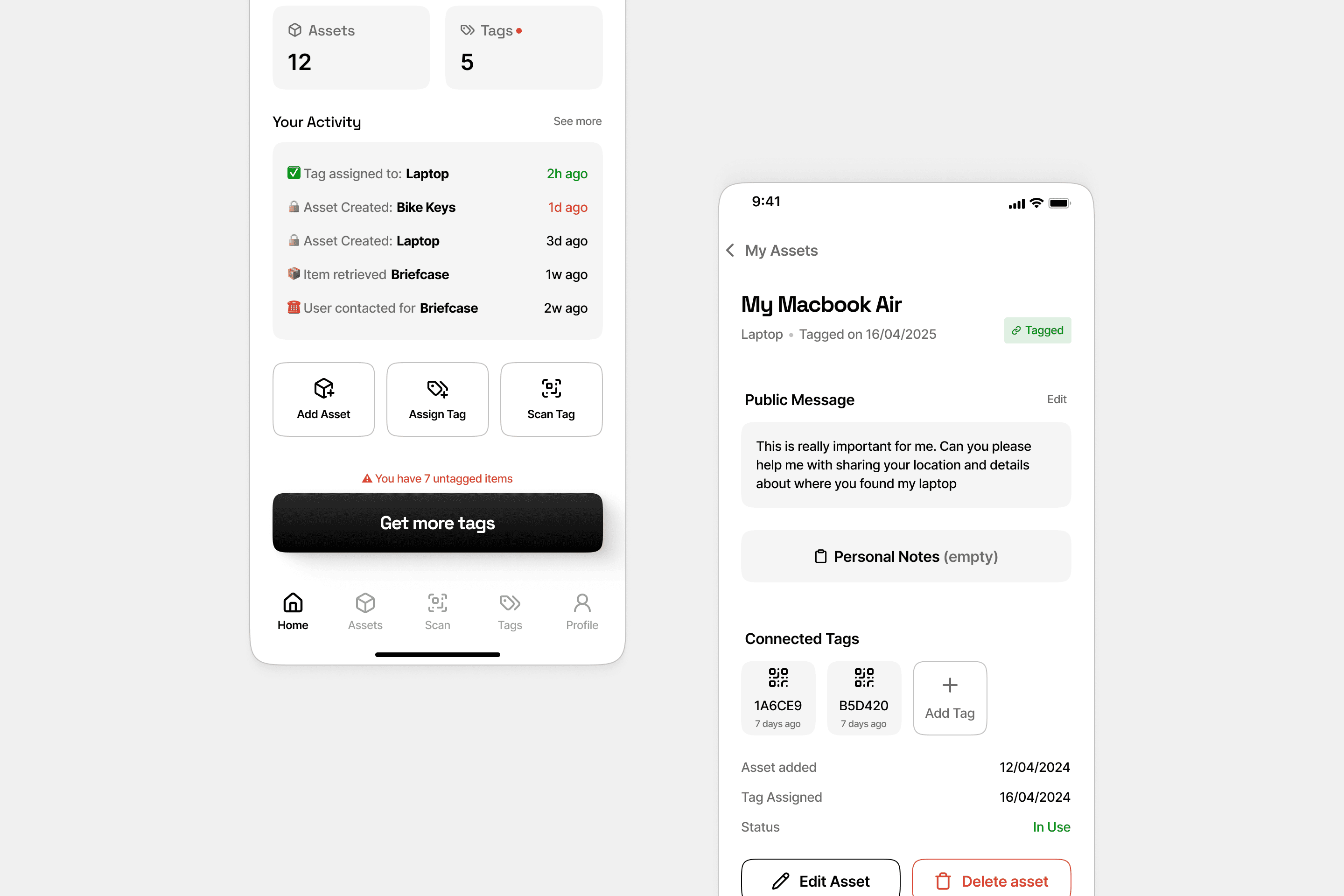
  • A redesigned homepage: showed tags & assets side by side, recent activity, clear buttons to buy tags.

  • I introduced nudges - for example, alerts when a tag is not linked to assets.

  • I ensured that empty states (e.g. “no tags yet”, “no assets linked”) weren’t dead ends, they guided you.

Updated Home and Tags pages - prominent CTAs to nudge users to take actions


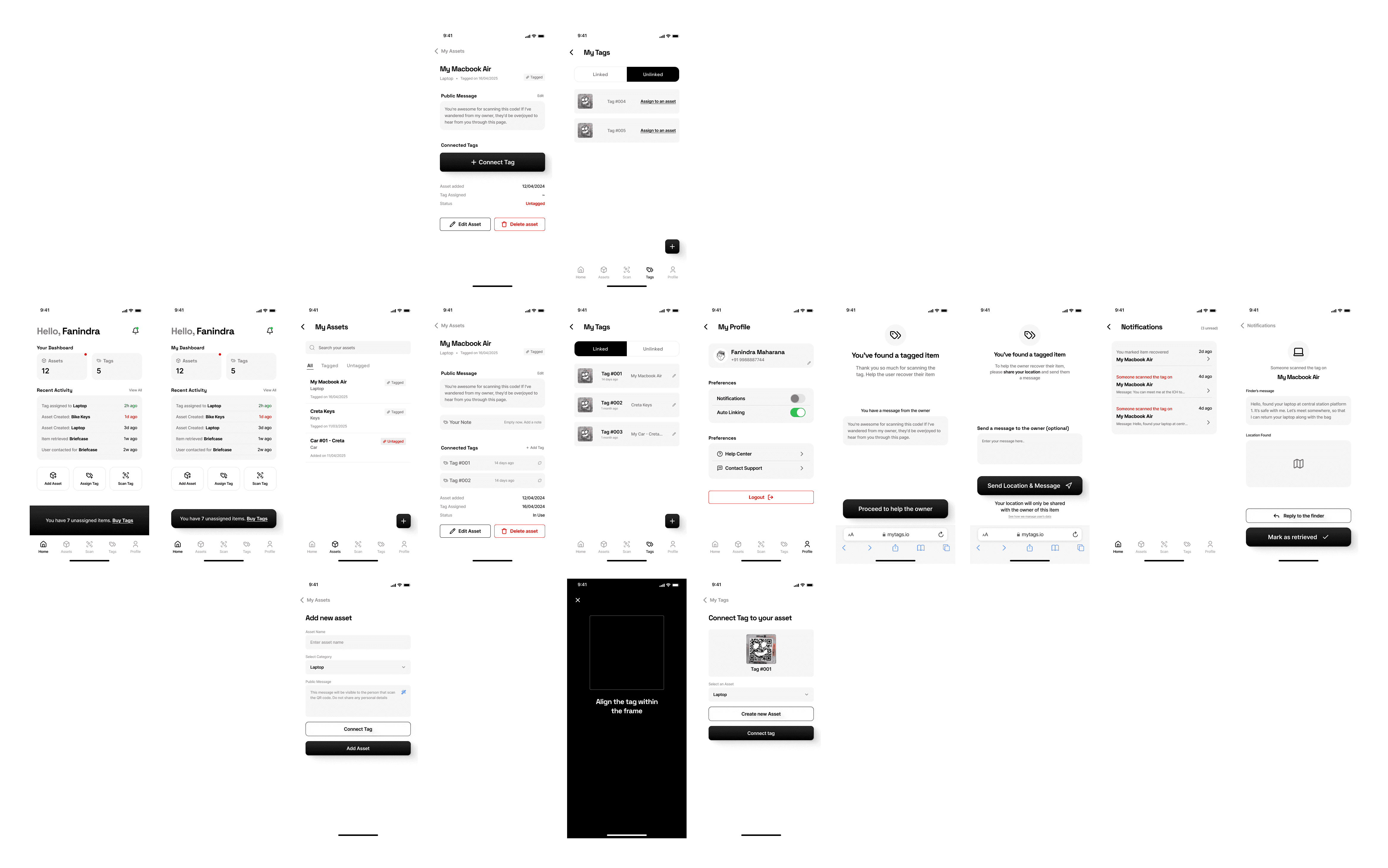
Wireframes of key screens showing new flows and states

Design Language

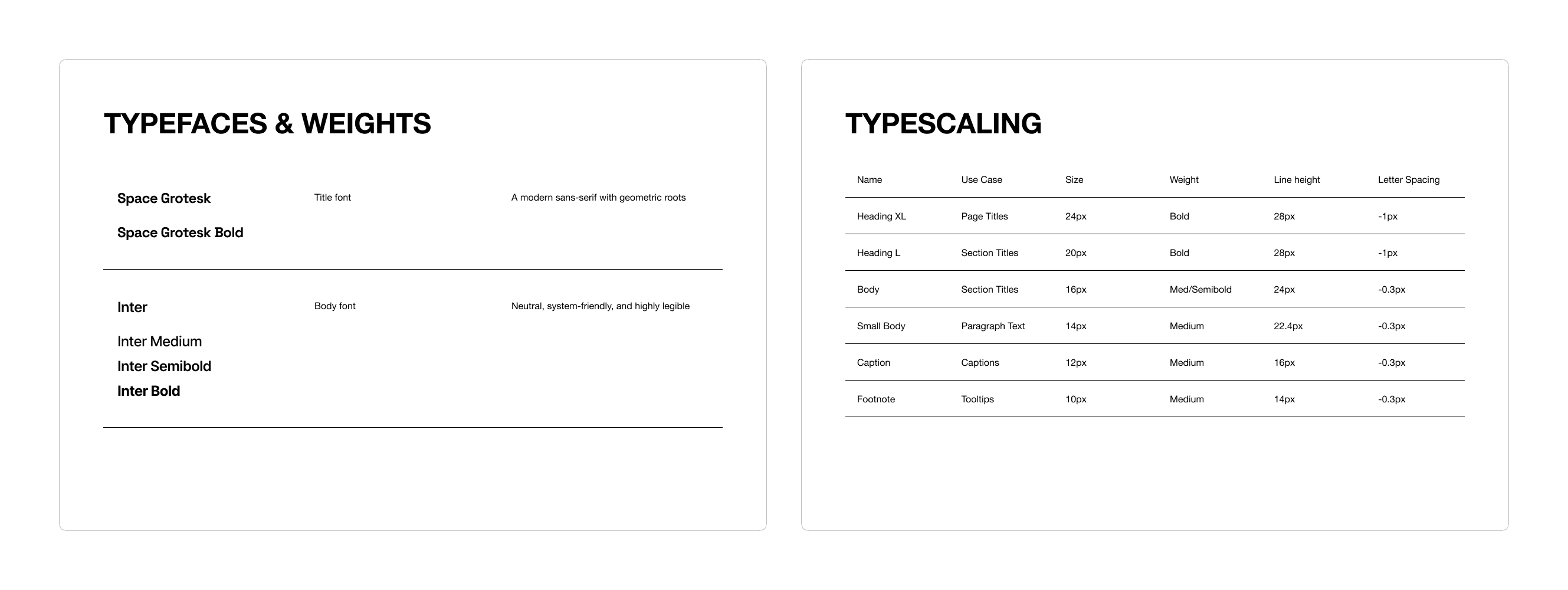
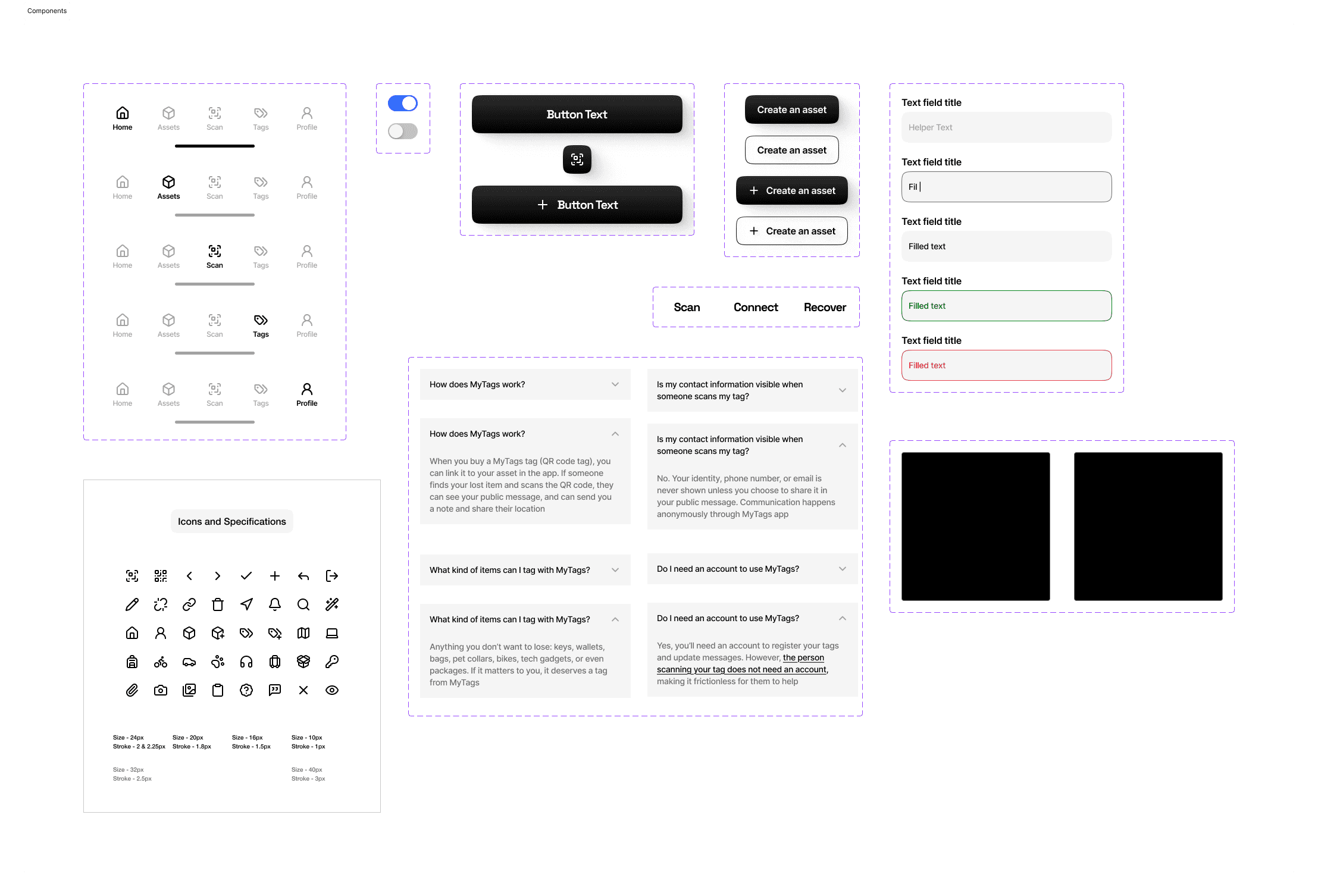
To move the app from “usable” to “trustworthy and professional,” I made sure the visual design didn’t just look clean, but it felt coherent everywhere


Digital Design

This stage was about refining clarity and polishing details: establishing a consistent visual system, testing color options, and ensuring the app felt both trustworthy and minimal.

As the flows matured, I expanded the scope to include not just the main tag-management journey, but also all the supporting states and edge cases. Moments like “no tags linked” or “blank assets” were redesigned to guide users gently forward rather than leave them stuck


Onboarding & Mobile Number Verification


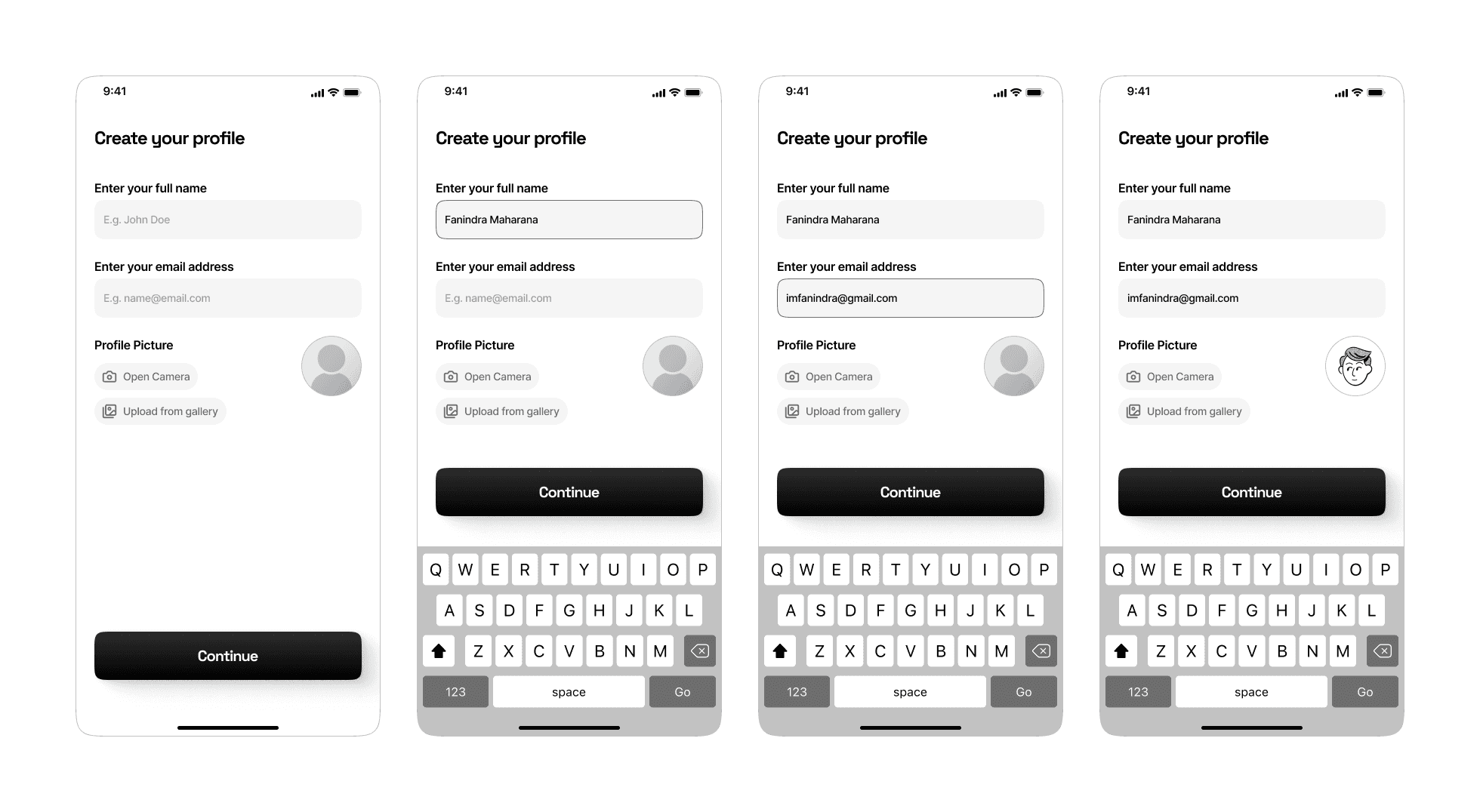
Create profile (for new users)


Primary Screens


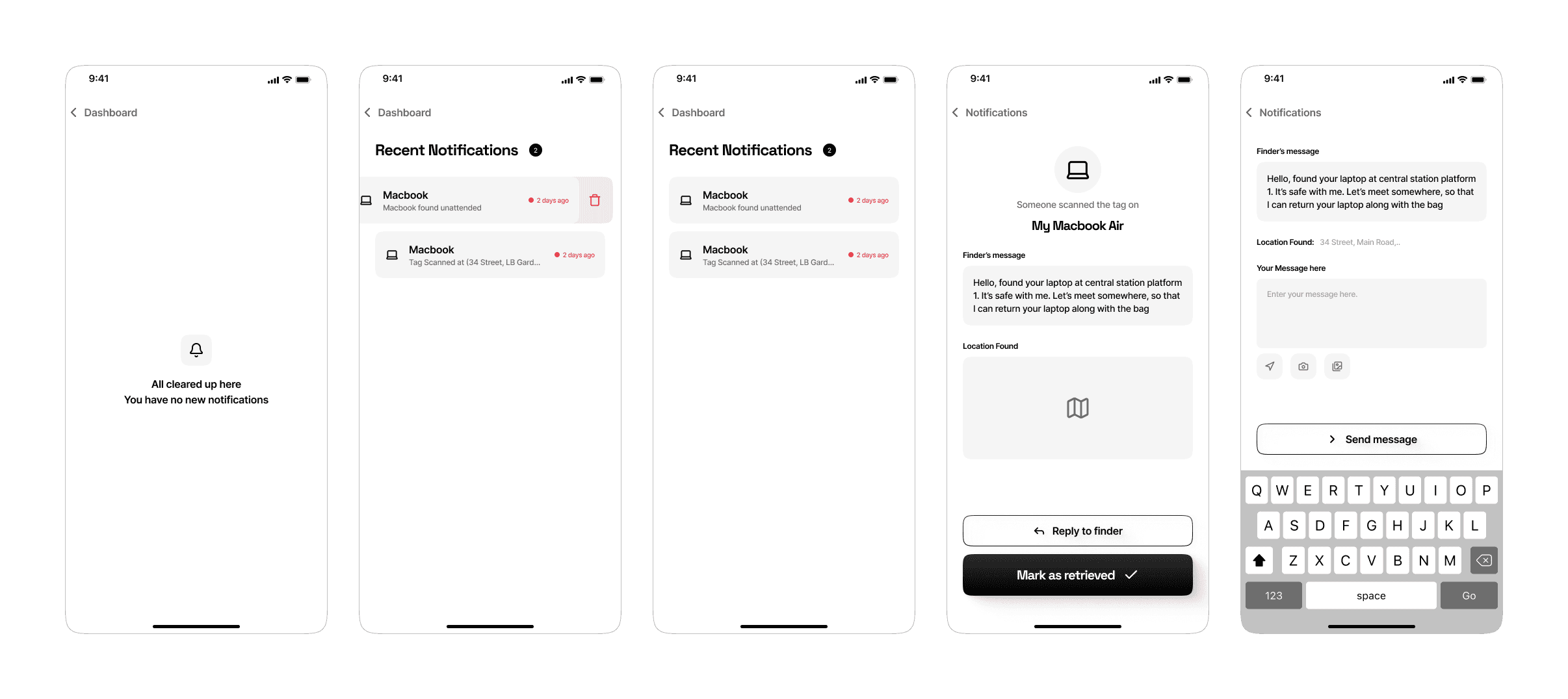
Notifications Screens


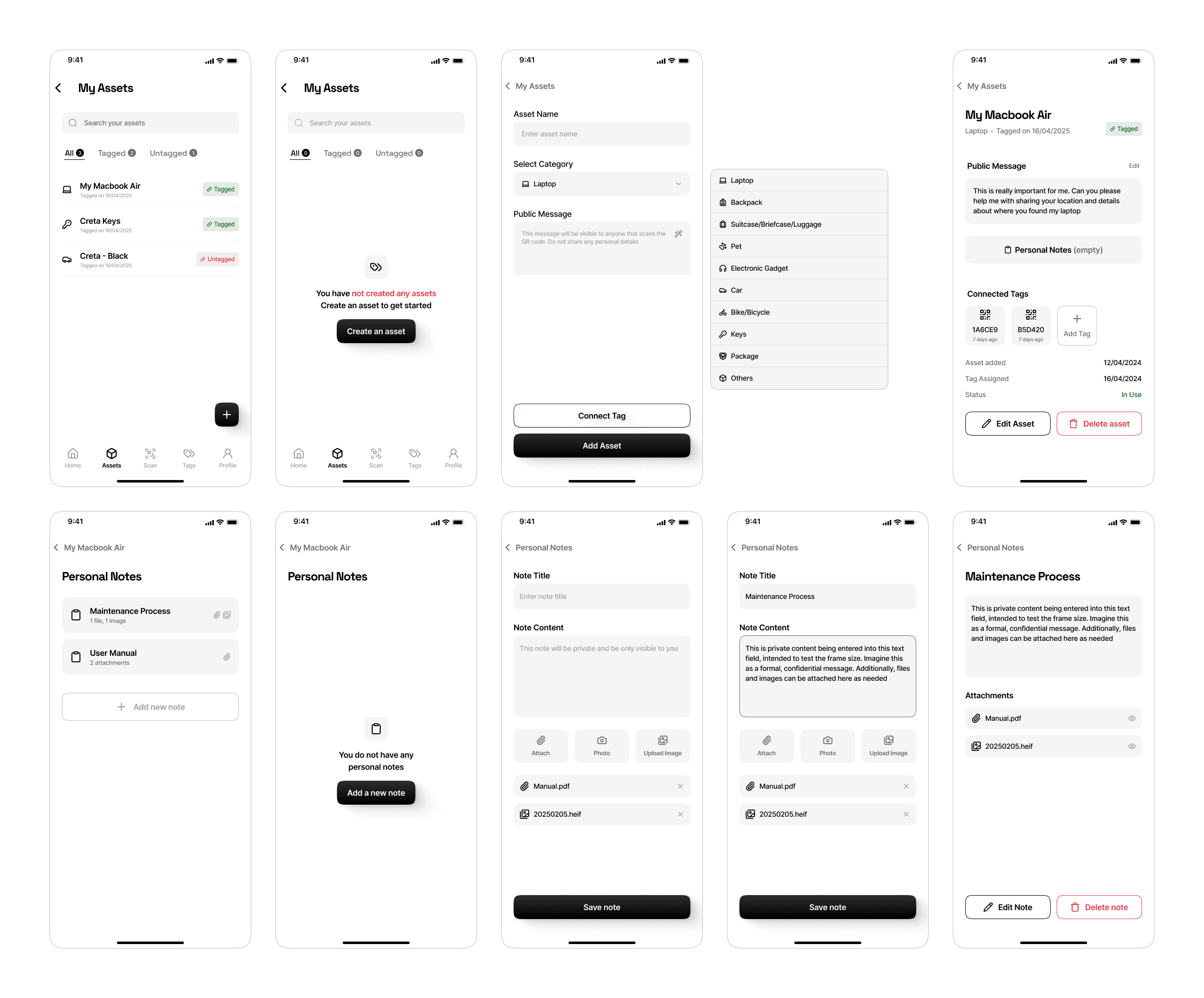
Assets List and Asset Details


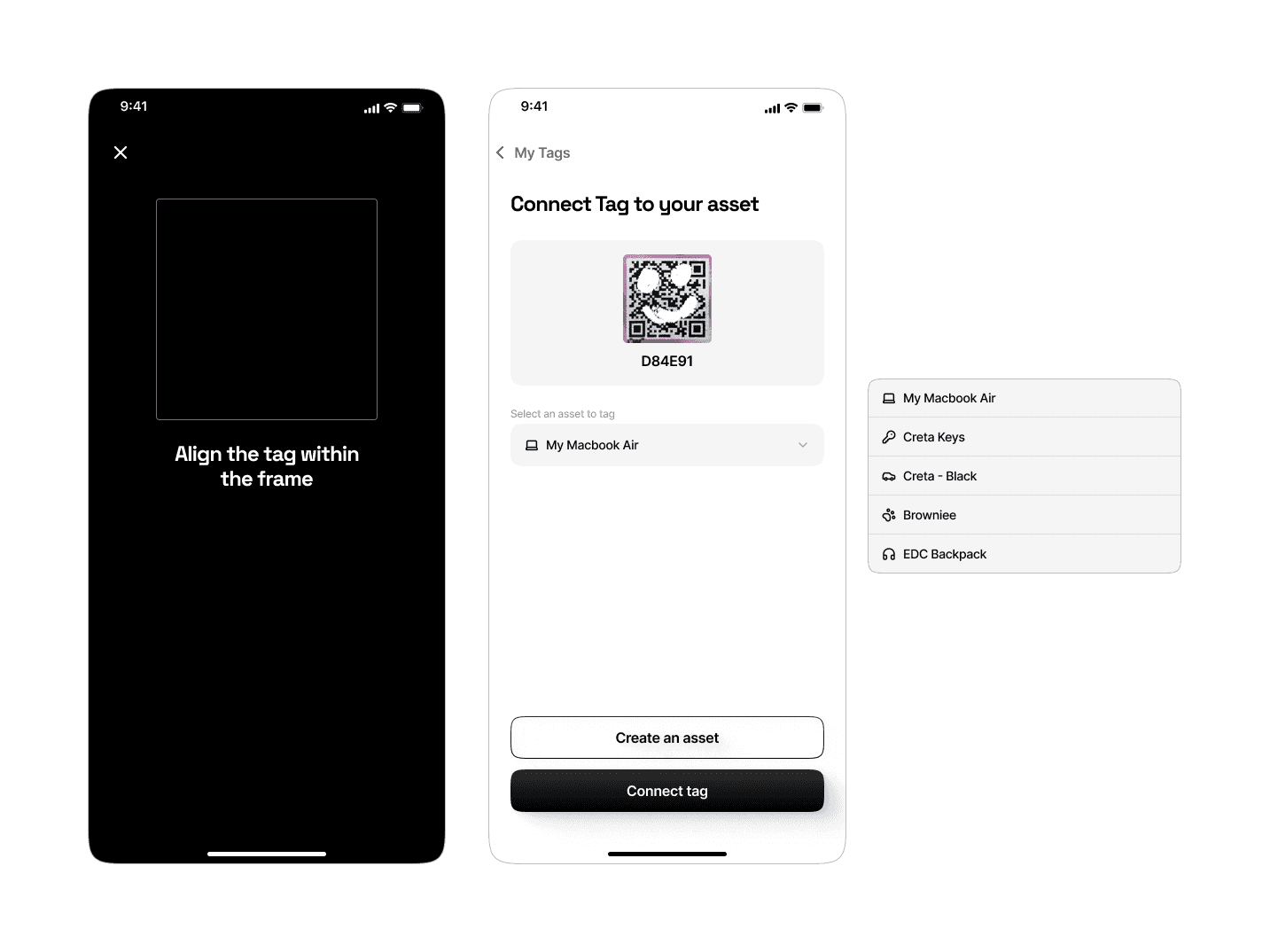
Scan QR and Connect Tag


List of Tags - with empty states


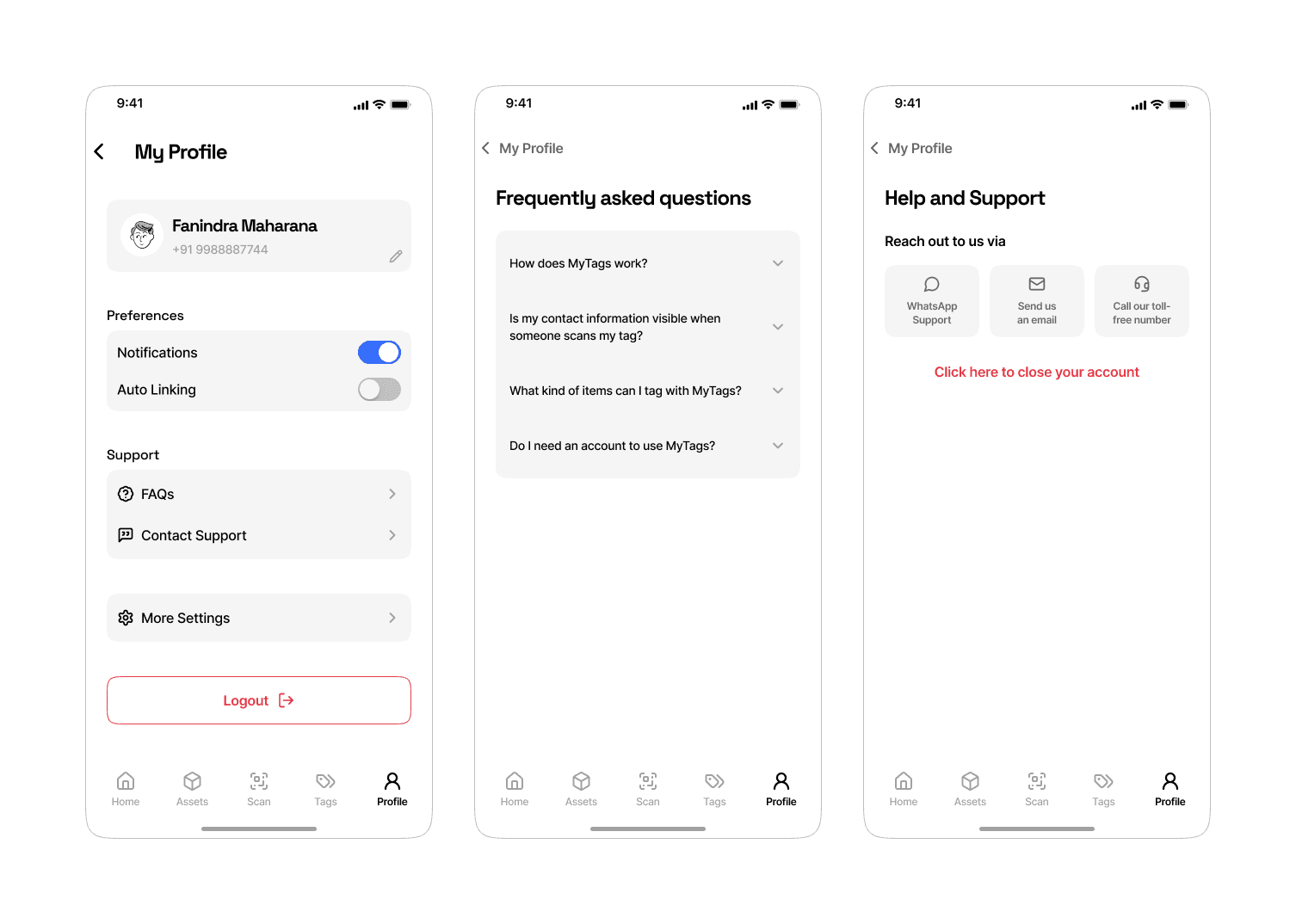
Profile, FAQs & Support screens


Designing for the Finders' Experience:

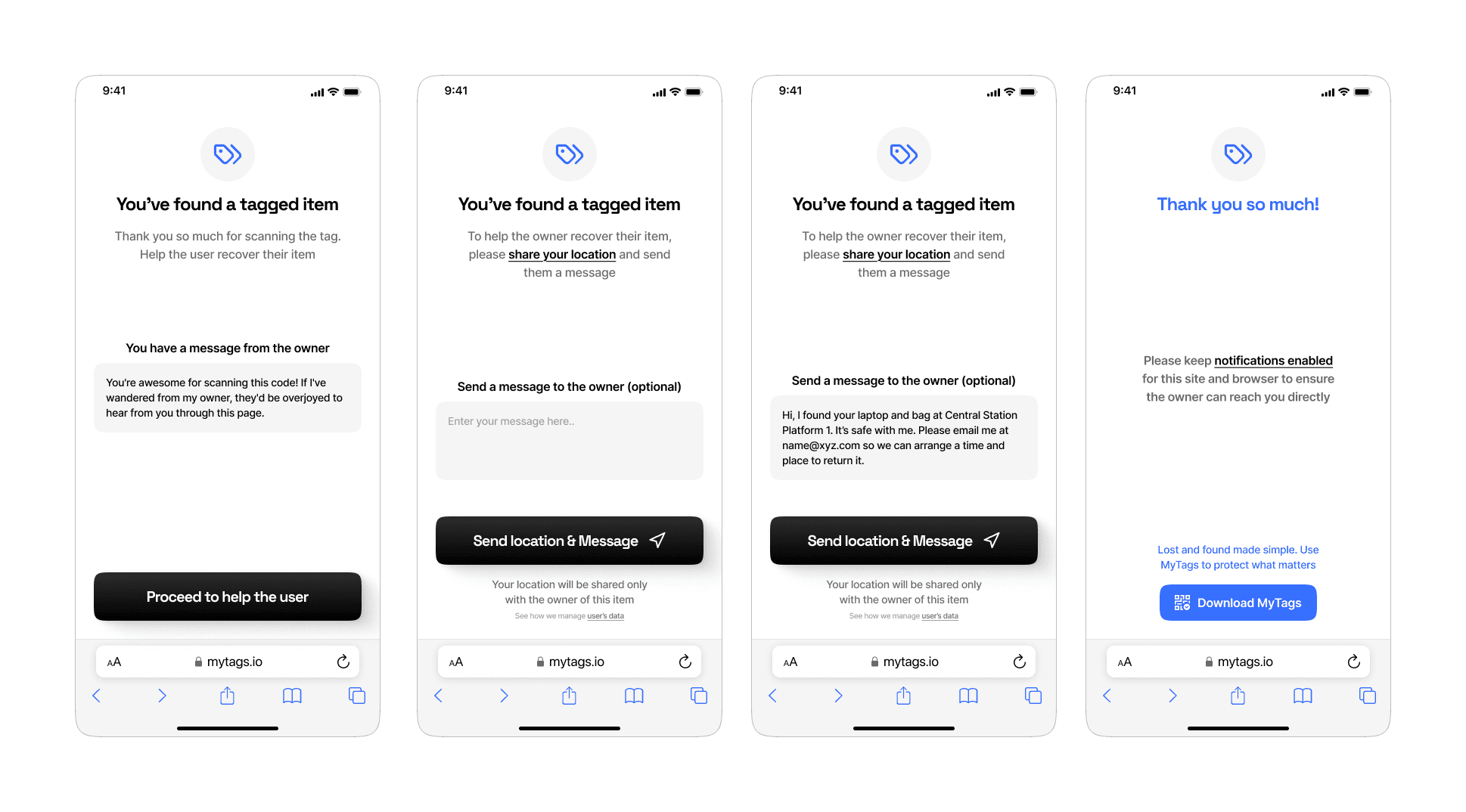
At the same time, I designed for the other side of the experience: the finder who scans a tagged item. Here, the priority was "trust". The interface
  • Clearly shows ownership
  • Reassures the finder
  • Offers a simple call-to-action to contact the owner
Subtle tone and design choices make the process feel safe and cooperative

Finders' side flow - a friendly interface that builds trust and prompts quick action.

Conclusion

Now, MyTags feels different. Tag owners see what matters: their tags, their assets, what needs attention. Finders scanning QR codes see a clear, human interface that feels trustworthy. Empty-state moments aren’t shameful silence but they gently push the users to act.

The app is production-ready and set to launch publicly soon. Check it out on the Play Store & App Store

If I were to go further, I’d want to test these with more people, especially non-tech-savvy users to validate some of the assumptions (e.g. do nudges feel helpful or nagging?)

Smooth Scroll
This will hide itself!
Smooth Scroll
This will hide itself!
Smooth Scroll
This will hide itself!